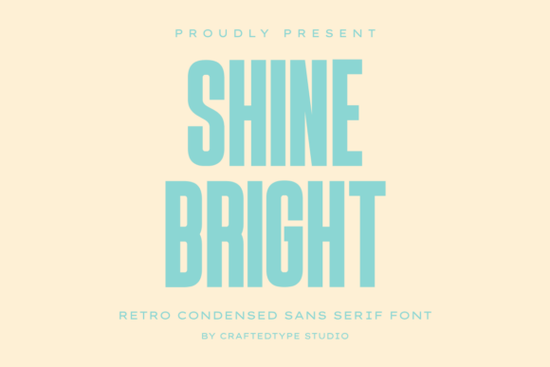
If you're looking for a retro-inspired sans serif font that works equally well on a t-shirt design, a summer festival poster, or a Cricut-cut vinyl decal, Shine Bright Font is a practical choice. It’s not overly stylized or hard to read at small sizes instead, it balances mid-century architectural simplicity with clean, modern proportions. That makes it especially useful if you’re creating for Print on Demand (POD), crafting physical goods, or building brand assets that need to scale across digital and print.
What makes Shine Bright Font easy to use in real projects?
First, it’s built for legibility. The tall, narrow letterforms hold their shape even when scaled down helpful for mug sublimation or sticker text where space is tight. Second, the smooth geometric edges mean it cuts cleanly in Cricut Design Space and Silhouette Studio, with no jagged outlines or unexpected gaps. And because it’s fully PUA encoded, every alternate character, ligature, and stylistic set appears correctly whether you’re typing in Adobe Illustrator or just pasting into Canva or Google Docs.
The download includes both OTF and TTF files, so you’re covered whether your workflow leans toward professional typography tools or everyday editing software. No extra setup or font managers needed install once, and it’s ready across your system.
Where does it fit alongside other retro sans serifs?
Shine Bright shares some visual DNA with fonts like Boston Font, but stands apart with its tighter spacing and more upright stance giving it extra punch in headlines. If you like the bold energy of Rotation Font, you’ll appreciate how Shine Bright keeps that same confident rhythm without leaning into heavy distortion or exaggerated angles. For designers who also reach for Matters Font for clean editorial work, Shine Bright offers a warmer, more nostalgic alternative still structured, but with friendlier curves and softer transitions.
It’s also a natural companion to the Bold Playful Bundle, especially if you’re building seasonal collections or themed product lines. You can mix Shine Bright for bold titles with lighter, more relaxed fonts from the bundle for body text or supporting elements all while keeping a consistent retro-modern feel.
Who benefits most from using this font?
Print-on-demand sellers will find it especially handy for trending niches: retro travel, vintage summer vibes, 70s-inspired apparel, and minimalist gym or coffee shop merch. Its condensed width means more text fits on a hoodie chest print or a tote bag without shrinking illegibly.
Crafters and hobbyists get reliable cut lines no manual tweaking needed for vinyl or iron-on transfers. Since the outlines are clean and consistent, you won’t run into issues with overlapping paths or missing inner counters (like the hole in an “e” or “a”).
Small business owners building simple branding think café menus, local event flyers, or Instagram story templates can use Shine Bright as a primary display font without needing a full custom type system. It pairs well with free Google Fonts like Inter or Montserrat for body copy, making it easy to maintain visual cohesion without overcomplicating things.
How to get the most out of Shine Bright Font
- Use it for short, high-impact text: logos, slogans, product names, and social media banners.
- Avoid long paragraphs it’s designed for titles and accents, not extended reading.
- Try pairing it with a neutral sans serif (like the one in the Boston Font family) for contrast in multi-line layouts.
- Test spacing in your final output especially for sublimation or screen printing since condensed fonts sometimes need slight tracking adjustments at very large sizes.
- Check your software’s glyph panel to access alternates and stylistic sets; they’re included and labeled clearly.
If you’ve used Shine Bright Font before, you know it doesn’t try to do everything and that’s why it works so well in focused applications. It’s a dependable tool, not a novelty. Keep it in your go-to folder for projects where clarity, nostalgia, and clean execution matter more than decorative flair.
Next step: Install the font, open a new document, and test it with three real-use phrases e.g., “Sunset Crew”, “Vintage Vibes Only”, and your business name at three different sizes (24pt, 48pt, and 96pt). See how it holds up across your usual output methods (screen, print, or cutting machine). That quick test tells you more than any description ever could.
Explore Design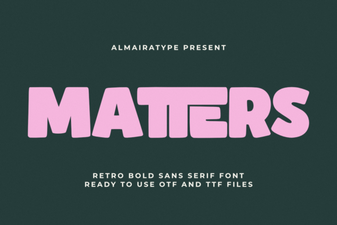 Matters Font: Clean, Versatile Design for Creative Projects
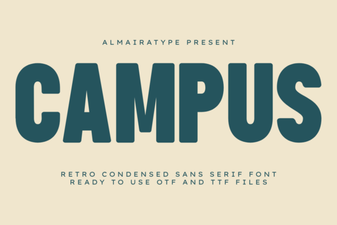 Campus Font: Creative Typography for Campus Projects
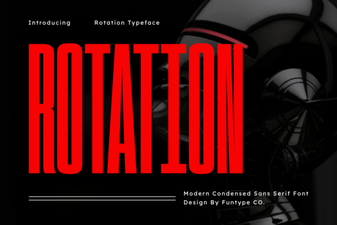 Creative Rotation Font Ideas for Dynamic Design
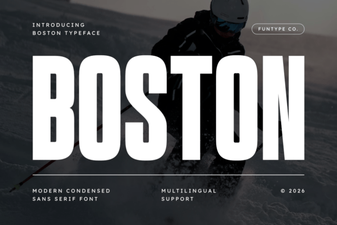 Boston Font: Creative Design & Practical Uses
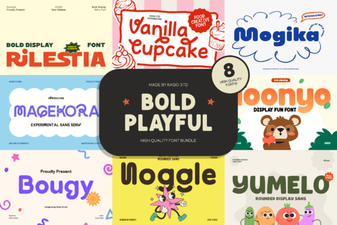 Bold & Playful Font Bundle for Creative Projects
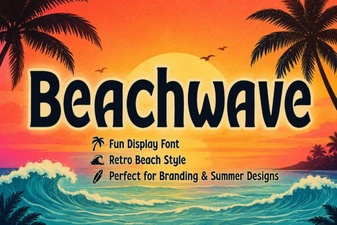 Beachwave Font: Creative Design & Project Ideas