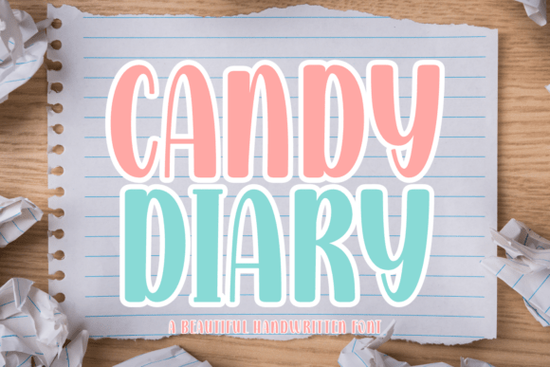
If you're looking for a friendly, hand-drawn font that works as well on a kindergarten worksheet as it does on a boutique T-shirt or Instagram story, Candy Diary Font is worth your attention. It’s not overly decorative or hard to read just clean, cheerful, and thoughtfully crafted with a fine-tip marker feel. Whether you’re designing printable learning materials, cutting vinyl for a small business, or building social media graphics in Canva, this script font bridges function and charm without sacrificing clarity.
What makes Candy Diary different from other playful fonts?
Many handwritten fonts lean too casual (hard to read at small sizes) or too ornate (awkward for classroom use). Candy Diary strikes a balanced middle ground. Its strokes are consistent but retain gentle variation like real handwriting, but refined. There’s no heavy bounce or exaggerated swashes, so it scales well across formats: from 12pt teacher notes to large-scale wall decals.
It’s also intentionally designed for real-world use. That means full language support (including accented characters), OpenType features like ligatures and alternate glyphs, and compatibility with both desktop apps (like Adobe Illustrator) and web-based tools (like Canva and Procreate). If you’ve ever tried to use a “cute” font only to find it missing punctuation or breaking in Silhouette Studio, you’ll appreciate how thoroughly tested Candy Diary is.
Where does Candy Diary work best?
School & early learning resources: Teachers and curriculum designers often need fonts that feel warm and inviting but still support literacy development. Candy Diary mimics the kind of clear, rounded handwriting children are taught to recognize and imitate making it ideal for flashcards, sight-word posters, handwriting practice sheets, and classroom labels.
Crafting & DIY projects: Cricut and Silhouette users report smooth cutting performance, especially with its clean outlines and moderate stroke contrast. It’s popular for scrapbook titles, sticker sheets, and custom planner inserts particularly when paired with soft pastel or candy-themed color palettes.
Small-batch merchandise: Because it reads well at smaller sizes and holds up on textured fabrics or matte stickers, it’s a go-to for makers selling on Etsy or at local markets. Think: “Best Day Ever” on a toddler onesie, “Snack Time” on a lunchbox decal, or “Little Explorer” on a water bottle label.
How does it compare to similar script fonts?
Candy Diary shares some DNA with other relaxed, educational-friendly scripts but each has its own sweet spot. For example, if you love the warmth of Raisin Cookie Family, you’ll notice Candy Diary feels slightly more structured and classroom-ready. Fans of The Bileso Font might appreciate Candy Diary’s lighter touch and friendlier baseline rhythm. Compared to Slowing Font, it’s less minimalist and more expressive; while Alex Brush leans elegant and fluid, Candy Diary keeps things grounded and approachable. And if you enjoy the cozy, journal-like vibe of Stowy Font, you’ll find Candy Diary offers a crisper, more versatile alternative for mixed-media layouts.
Real tools, real workflows
You don’t need special software to use Candy Diary effectively. It installs like any standard font (OTF/TTF), so it shows up in Microsoft Word, Google Docs, and design platforms right away. For crafters using Cricut Design Space, you can upload it as a system font or use it directly in the web app after installing locally. In Canva, it appears under “Uploaded Fonts” once installed and yes, it works with Canva’s text animation and background removal tools.
For those working across devices, the font performs consistently in Procreate (via imported OTF) and even holds up well in PDF exports important if you’re sending print-ready files to a local copy shop or POD partner.
If you're curious about how it fits into broader typography trends, Candy Diary Font reflects the growing preference for “functional whimsy”: fonts that bring personality without compromising usability. It’s part of a thoughtful shift away from purely decorative scripts toward ones that serve real creative needs especially in education, parenting content, and small-business branding.
Before downloading or purchasing:
- Check the included file formats (OTF, TTF, and sometimes WOFF for web use)
- Look for licensing details personal use is usually included, but commercial use (e.g., selling physical products with the font) may require an extended license
- Test it at multiple sizes in your intended tool especially if you plan to cut vinyl or embroider text
- Pair it with a simple sans-serif (like Poppins or Quicksand) for contrast in headings + body text combinations
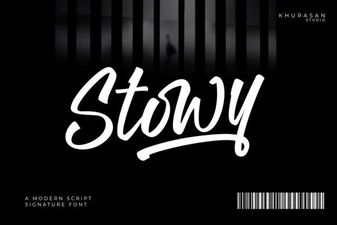 Stowy Font: Creative & Versatile Design Tool
 Slowing Font: Creative Typography for Dynamic Design
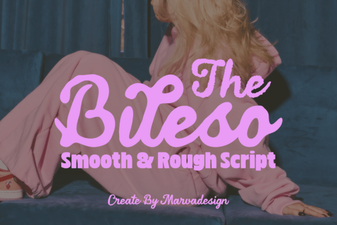 The Bileso Font: Creative Design & Practical Use
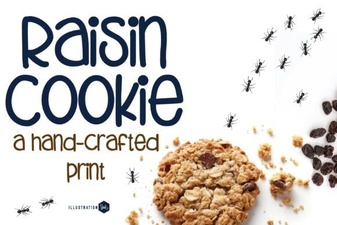 Raisin Cookie Family Font: Playful & Versatile Design
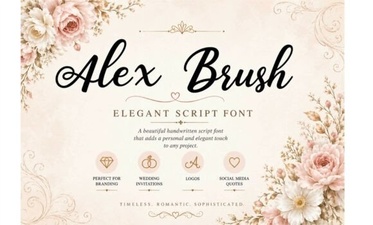 Alex Brush Font: Elegant Handwritten Design Ideas
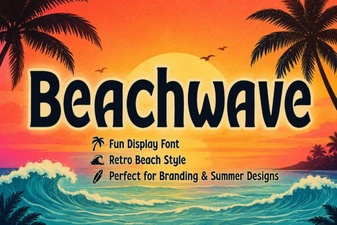 Beachwave Font: Creative Design & Project Ideas